For households
Clean Spaces for Clients is an app for iPhone and Android for booking a home clean. You post the clean you need, independent cleaners nearby send offers, and you choose one.
Coming soon for iPhone and Android
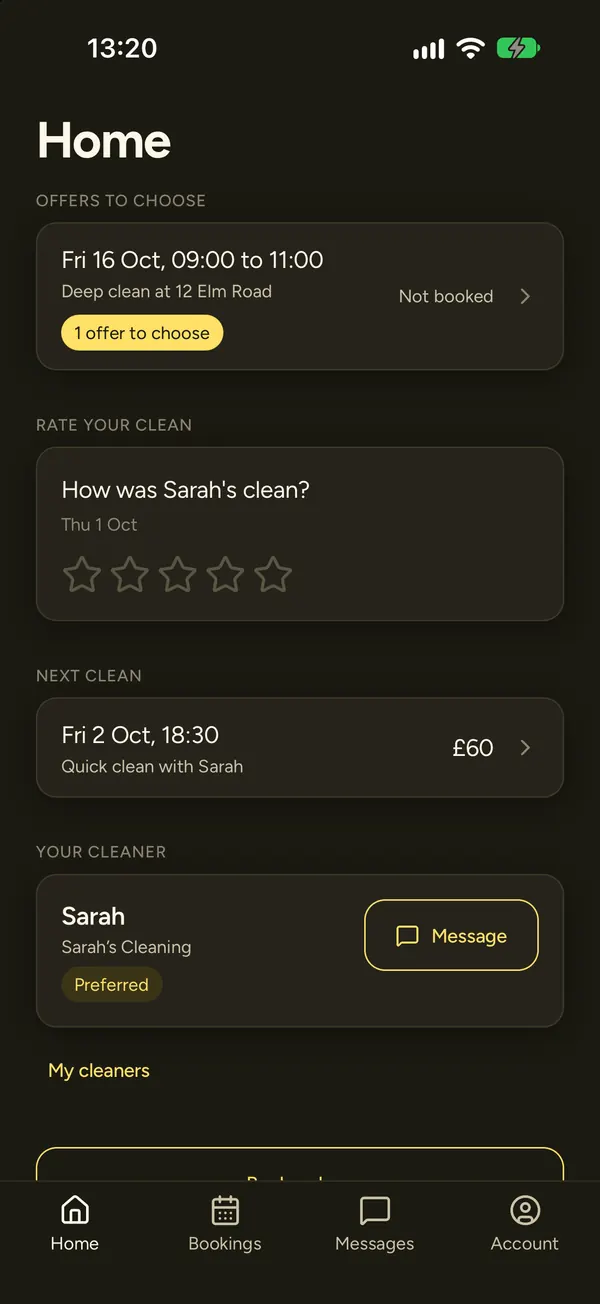
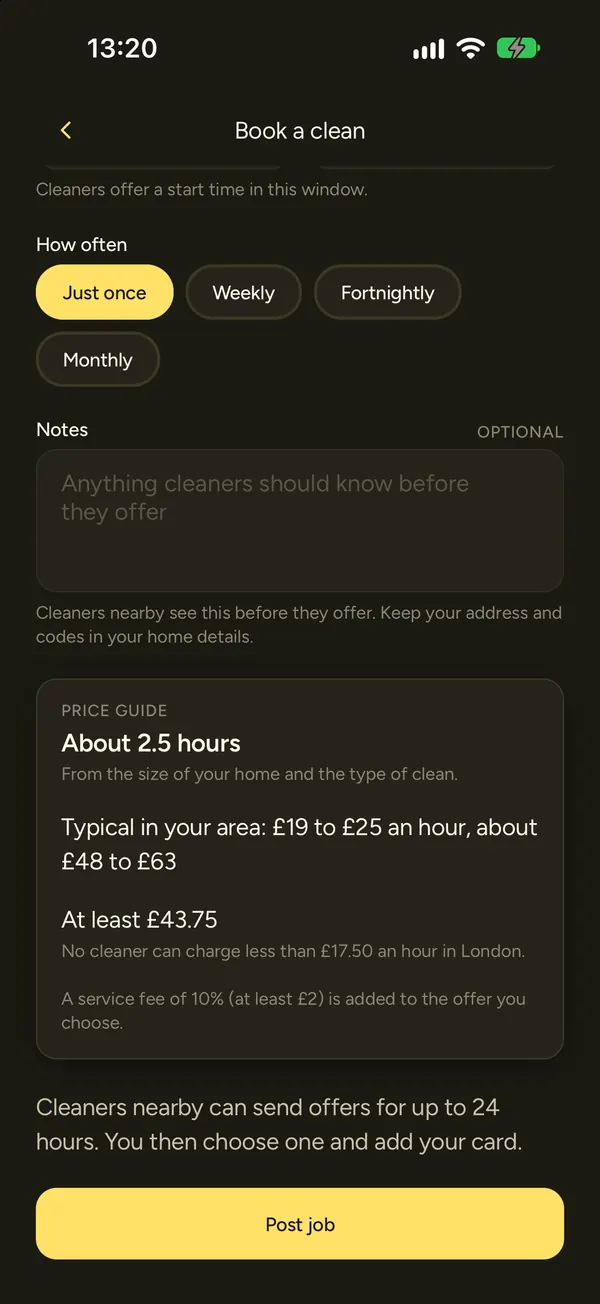
Post a clean
Choose your home, the type of clean (regular, deep or end of tenancy), a day, the earliest and latest start time, and how often you want it: just once, weekly, fortnightly or monthly. You can add a note for the cleaner.
A price guide shows what a clean like yours usually costs. Cleaners nearby can send offers for up to 24 hours.
Before you book, cleaners see only your postcode district and the size of your home. Your full address and access notes reach a cleaner only after you book them.
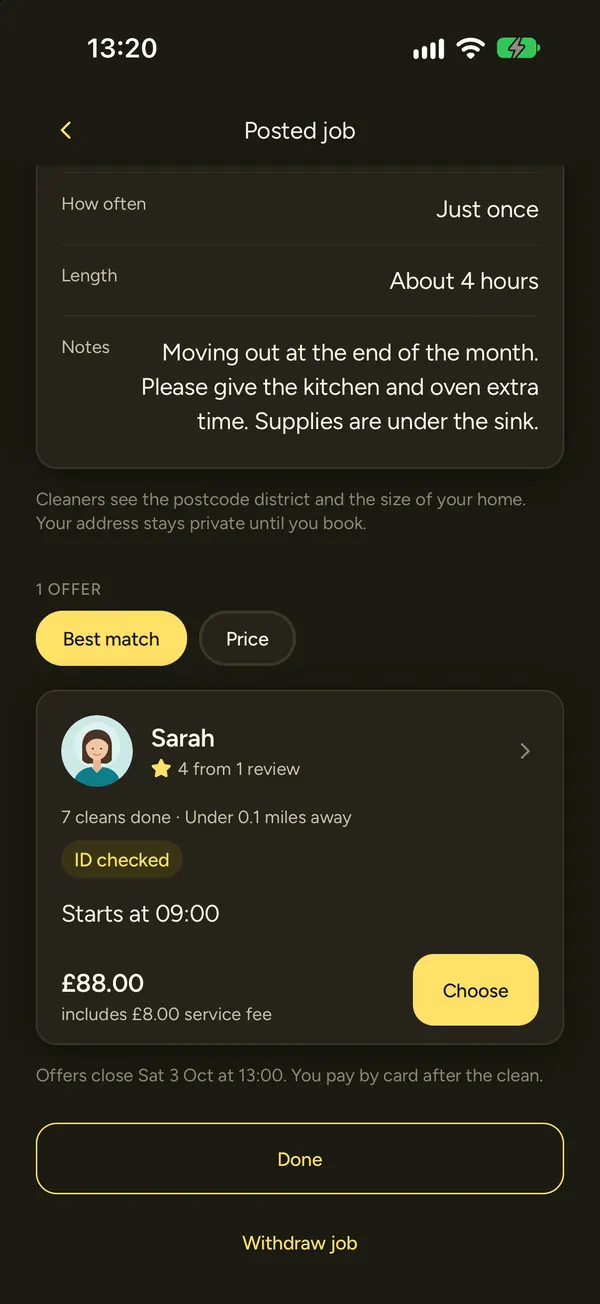
Compare offers
Each offer shows the cleaner's price for the whole job, their rating, how many cleans they have done, how far away they are and their badges: ID checked, DBS checked andInsured.
Sort offers by best match or by price, open a cleaner's profile to read their reviews, then book the one you want.
Pay after the clean
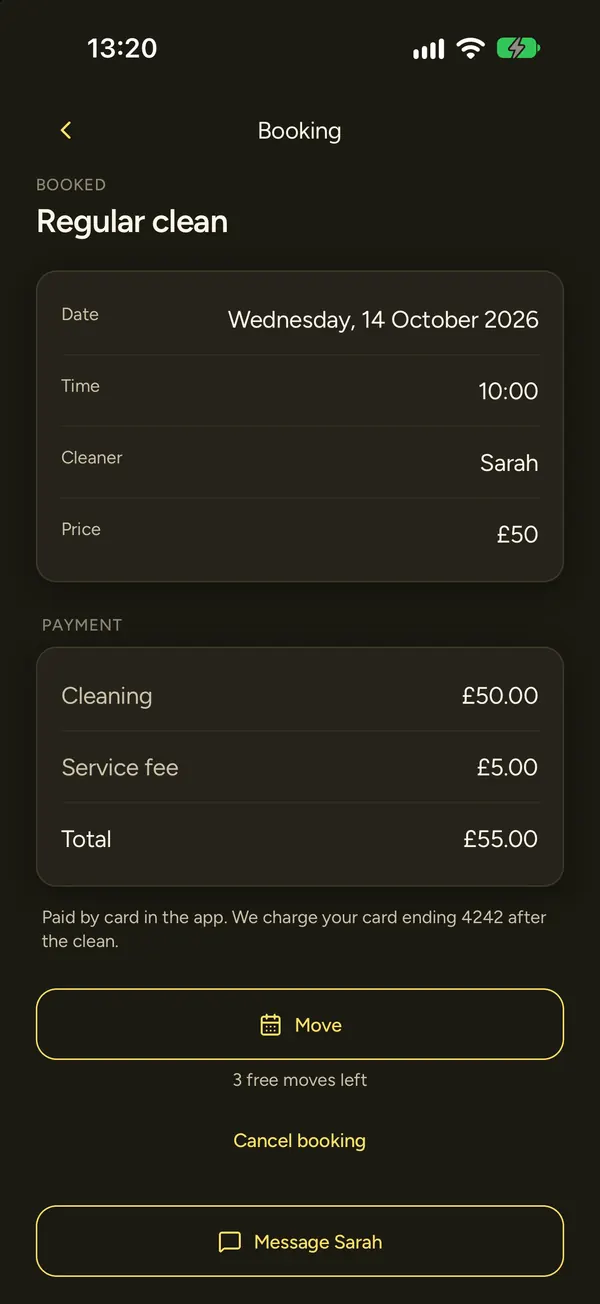
Add a card when you book. Stripe, our card payment provider, checks the card and keeps its details. Nothing is taken when you book.
Your card is charged once your cleaner marks the clean done. If they forget, it is charged 24 hours after the clean was due to finish. Your receipt is in the app.
Cleans booked from a posted job have a service fee of 10% of the cleaning price, at least £2. The booking shows the cleaning price, the fee and the total before you book.
Keep your cleaner
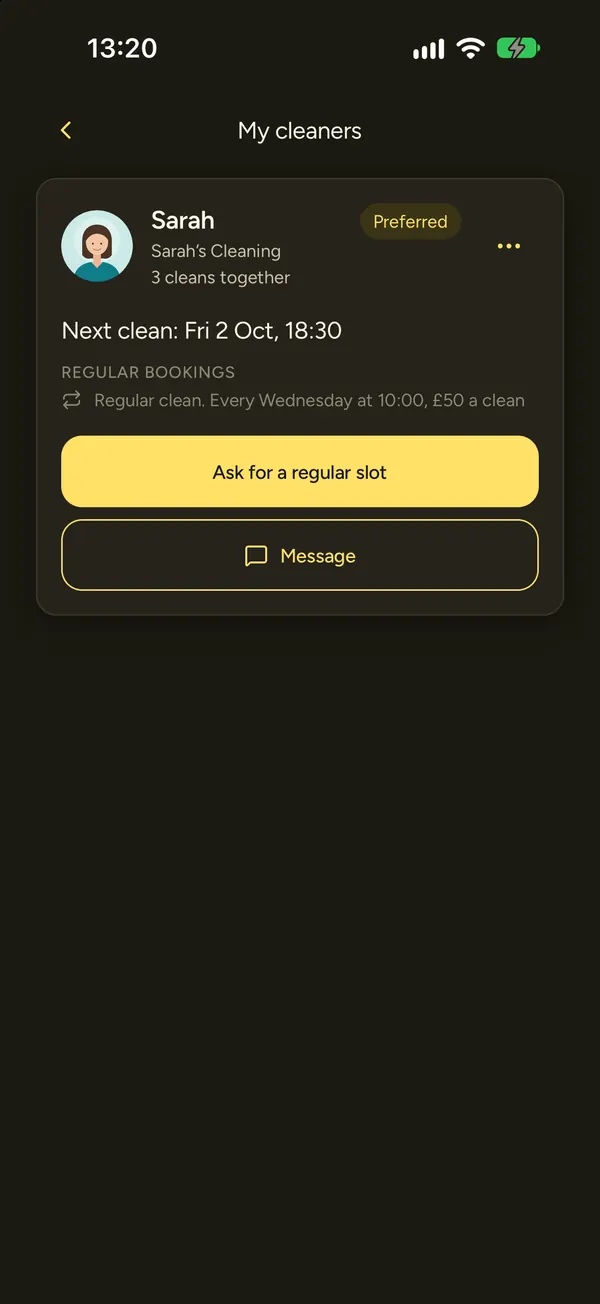
After your first clean with someone, you can make them your preferred cleaner in My cleaners. Then ask them for a regular slot: weekly, fortnightly or monthly, on the day and time that suits you. Nothing is booked until they accept.
Regular cleans with your preferred cleaner have no service fee.
Message your cleaner in the app at any time.
Moving and cancelling
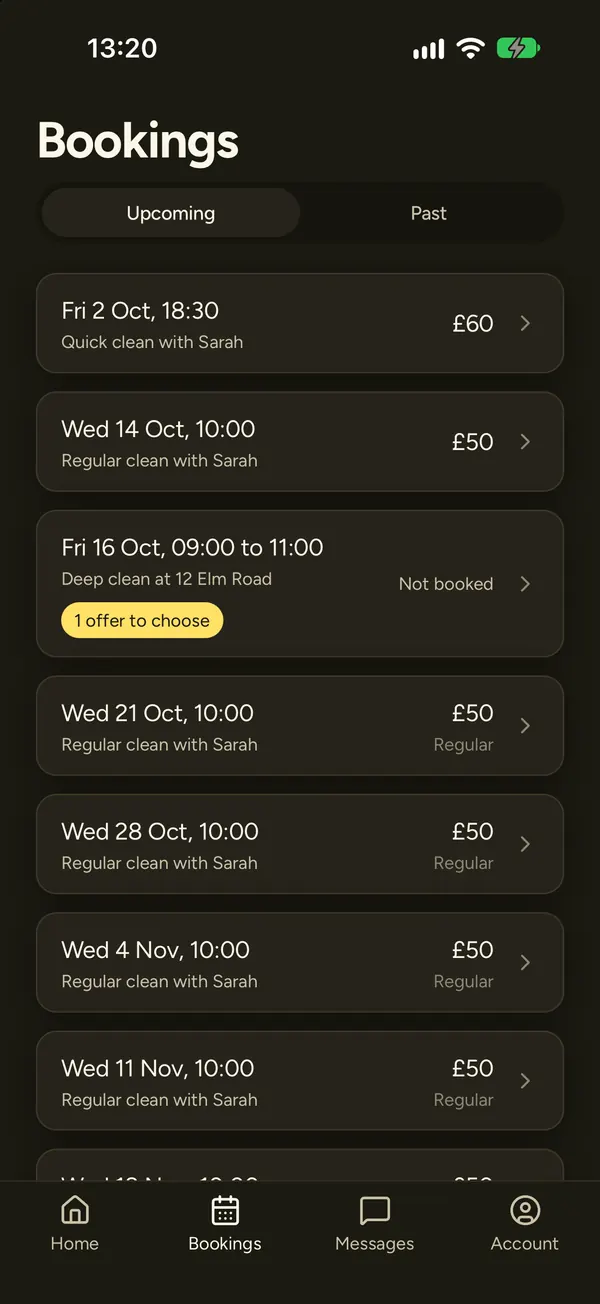
You can move a clean up to 3 times per booking for free, when your cleaner agrees the new time. Your clean stays where it is until they agree.
Cancelling is free up to 24 hours before the clean. Inside 24 hours, cancelling costs 50% of the cleaning price, which goes to your cleaner. There is no service fee on it. If your cleaner cancels, you pay nothing.
Tips
After a clean you paid for by card, you can leave a tip from £1 to £50. It is optional, and 100% of it goes to your cleaner. Tips are charged to your saved card straight away.
Invited by your cleaner
If you already have a cleaner who uses Clean Spaces, they can invite you into the app. You see your cleans, message your cleaner and can pay by card in the app, with no service fee.
An invite code works once, for 14 days. If yours has run out, ask your cleaner for a new one.
See prices and fees and how we keep people safe.